
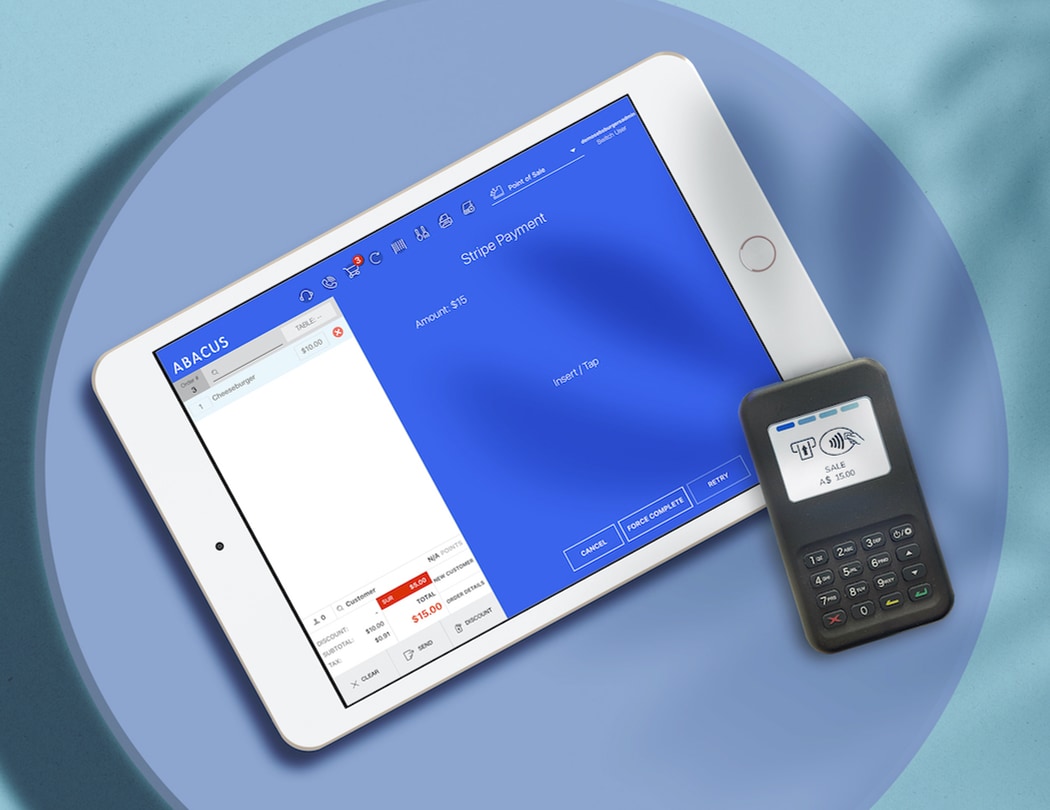
Abacus Fintech Company Credit Card Terminal: A Beginner’s Guide
Small businesses often struggle with slow payment processes, high fees, and confusing hardware. The Abacus fintech company credit card terminal aims to simplify payments, lower costs, and speed up checkout. This guide explains what it is, how it works, features, pricing, and when to choose it.
What is the Abacus fintech company credit card terminal?
The Abacus credit card terminal is a point-of-sale device and payment solution developed by Abacus, a fintech company focused on modern payment tools. It accepts cards, contactless payments, and integrates with software to manage transactions and reporting.
It’s designed for retail, restaurants, and service businesses that want a simple, secure way to accept payments without complicated setup.
How it works
The system combines hardware, software, and payment processing. Typical steps:
- Merchant orders or leases the terminal from Abacus or a partner.
- Terminal is connected to Wi‑Fi, Ethernet, or mobile network.
- Customer taps, inserts, or swipes card, or uses mobile wallet.
- Terminal sends transaction to Abacus payment processor.
- Payment is authorized, receipt printed or emailed, and funds settled to merchant bank.
Key features
Abacus terminals include features tailored for modern businesses:
- EMV chip, magstripe, and NFC contactless payments (Apple Pay, Google Pay).
- Integrated receipt options: paper, email, or SMS.
- Cloud-based reporting and sales analytics dashboard.
- Inventory and basic POS integrations with popular software.
- PCI-compliant security and tokenization for card data.
- Multi-device support and mobile reader options for on-the-go sales.
Pros & Cons
Pros
- Easy setup — plug-and-play for most devices.
- Supports modern payment types including contactless.
- Includes cloud reporting and basic POS integrations.
- Reasonable fees for small and medium businesses.
- Secure payment processing with PCI compliance.
Cons
- May require a contract or monthly fee depending on plan.
- Advanced POS features may require third-party integrations.
- Hardware costs upfront if not leased.
- Limited offline transaction handling compared to some competitors.
Pricing and fees
Pricing varies by region and business size. Typical components include:
- Terminal cost or rental fee: one-time purchase ($100–$400) or monthly lease ($10–$30).
- Transaction fees: interchange + percentage (e.g., 1.6%–2.9% + $0.10–$0.30) depending on card type.
- Monthly service fee for software dashboard or advanced features ($0–$50).
- Chargeback and refund fees as applicable.
Abacus often provides tailored pricing for midsize and larger merchants. Always request a detailed fee breakdown to compare true costs.
Comparison table
| Feature | Abacus Terminal | Competitor A | Competitor B |
|---|---|---|---|
| Card acceptance | EMV, Magstripe, NFC | EMV, NFC | EMV, Magstripe |
| Monthly fee | $0–$50 | $15–$30 | $0–$20 |
| Transaction fee | 1.6%–2.9% + $0.10–$0.30 | 1.7%–2.7% + $0.15 | 1.5%–3.0% + $0.10 |
| Hardware cost | $100–$400 or lease | $50–$300 | $120–$350 |
| POS integrations | Common platforms | Limited | Extensive |
| Security | PCI compliant, tokenization | PCI compliant | PCI compliant |
Use cases
The Abacus fintech company credit card terminal works well for various businesses:
- Retail stores needing a countertop terminal with receipts and reporting.
- Cafes and quick-serve restaurants that want fast contactless payments.
- Field service or delivery businesses using mobile readers for on-site payments.
- Pop-up shops and market vendors who need simple, portable payment acceptance.
- Small chains that benefit from centralized reporting across locations.
Frequently Asked Questions
1. Is the Abacus terminal PCI compliant?
Yes. Abacus terminals use PCI-compliant hardware and tokenization to protect cardholder data and reduce risk for merchants.
2. Can I accept contactless payments like Apple Pay?
Yes. Abacus terminals support NFC contactless payments including Apple Pay and Google Pay, as well as EMV chip cards.
3. What happens if my internet goes down?
Some Abacus models offer limited offline transaction capabilities that queue transactions until connection returns. Check with sales for specific model behavior and limits.
4. Do I need a long-term contract?
Contract terms depend on the plan. Abacus may offer month-to-month or contract options. Ask for a clear statement on cancellation fees before signing.
5. How do funds reach my bank account?
After transactions are settled by the processor, funds are deposited to your linked bank account. Settlement timing varies (same-day to 2–3 business days) depending on your plan and bank.
Which businesses should choose Abacus?
Abacus is a good fit for businesses that want modern terminals with simple setup, reliable contactless support, and cloud reporting. It’s especially useful for retailers, cafes, mobile vendors, and small chains that value ease of use and security.
How to get started
- Contact Abacus or an authorized reseller to discuss plans and hardware options.
- Compare detailed pricing including interchange, markups, and fees.
- Order hardware or choose a lease option and provide required documentation.
- Set up the terminal, connect to your network, and integrate with your POS if needed.
Conclusion
The Abacus fintech company credit card terminal provides an easy-to-use, secure payment solution for many small and medium businesses. With modern payment acceptance, cloud reports, and reasonable pricing, it’s a strong option for merchants wanting to streamline checkout and reporting.
Ready to simplify payments? Contact Abacus or a certified partner to get a quote, verify pricing for your business, and choose the terminal model that fits your needs.
Leave a Reply